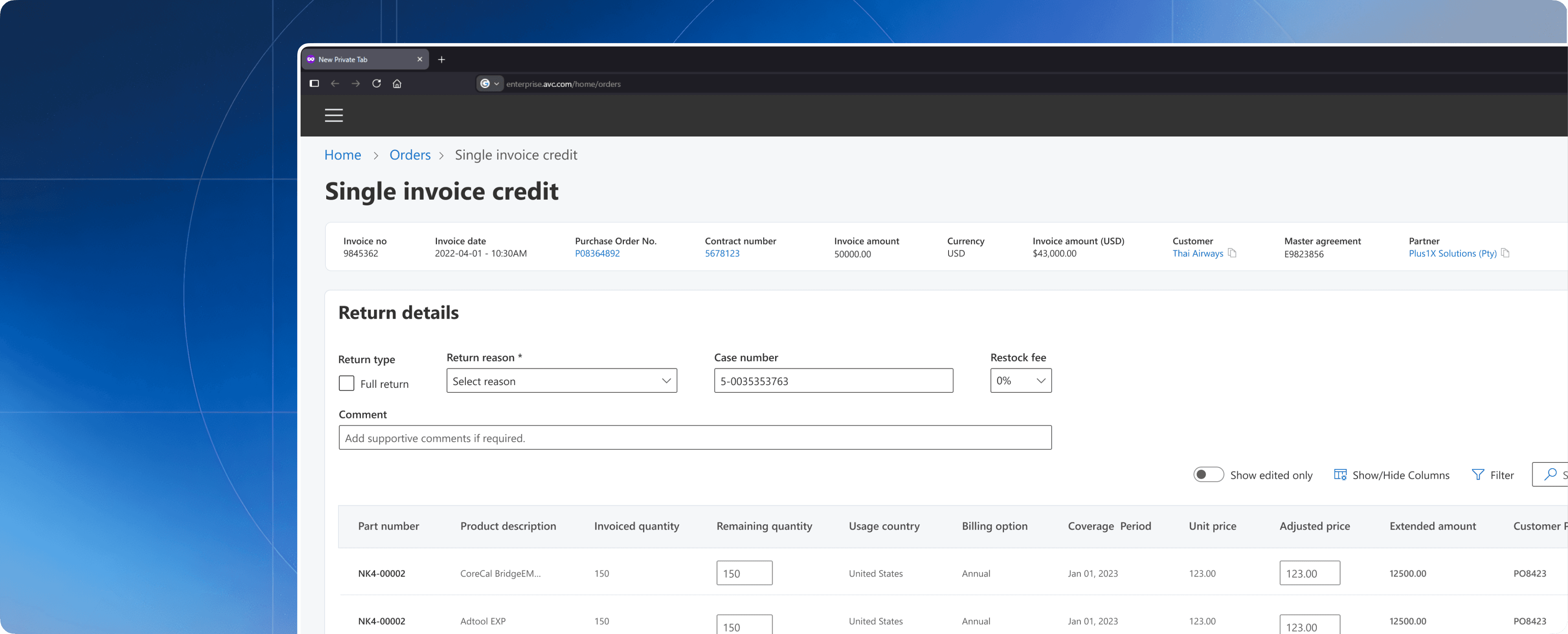
6 mins read
Enterprise Workflow that Handles $100M+ in Transactions
Reducing operational dependency and transforming a fragmented multi-tool process
into a guided enterprise experience.
Business Impact
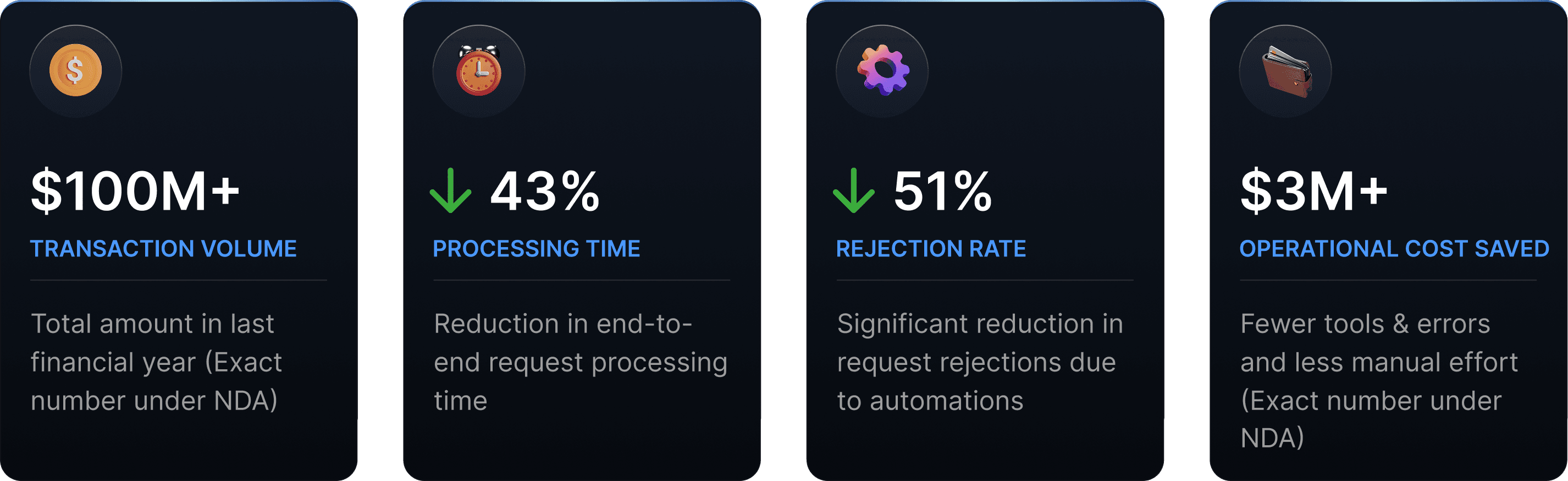

Received Pat on the Back Award after earning recognition from Microsoft for high-impact design contributions to their enterprise product.
My Contribution
Ideation
Research
Strategy
Cross functional alignment
High fidelity design
End to end design ownership.
Led 6 out of 12 research sessions
Established design review processes to ensure a smooth hand-off and to stay on track.
Project timeline
3 months
Team
Me, 1 PM, 1 UX researcher, Engineers +more
Entering the World of Enterprise
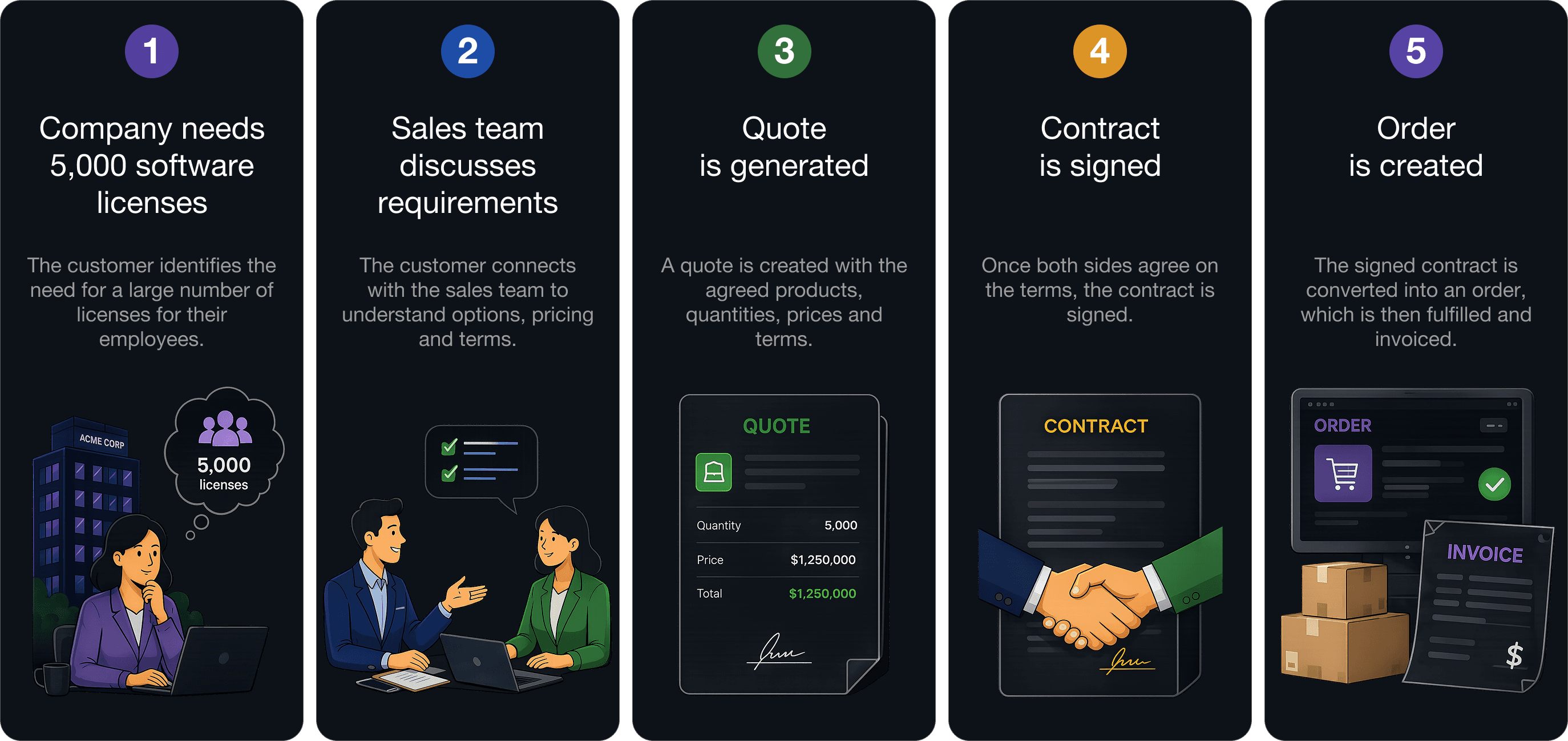
The Journey Behind Every Transaction
When a company needs thousands of software licenses for its employees,
they don't simply visit a website and click "Buy Now".
Click to enlarge
What happens when something goes wrong after an order
is placed?
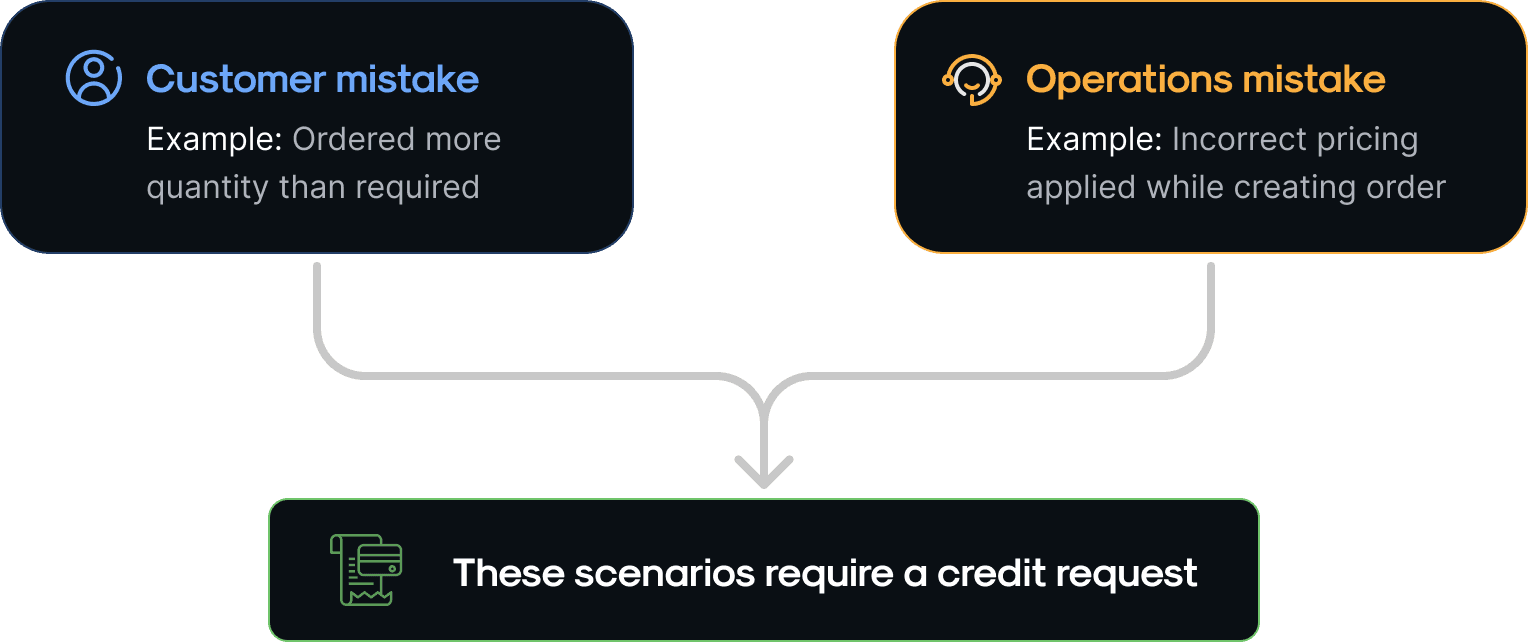
There are around 20 reasons why a credit request will be raised

Introducing credits
Credits are used to correct orders after they have been processed. Customer
reaches out to operations when they have to raise a request.
The value can either be:
Refunded to the customer, or
Applied towards another product (Re-billing: To purchase something
else instead of returning the money.
The process of creating & managing these credits is the focus of this case study.
Credit Request Journey

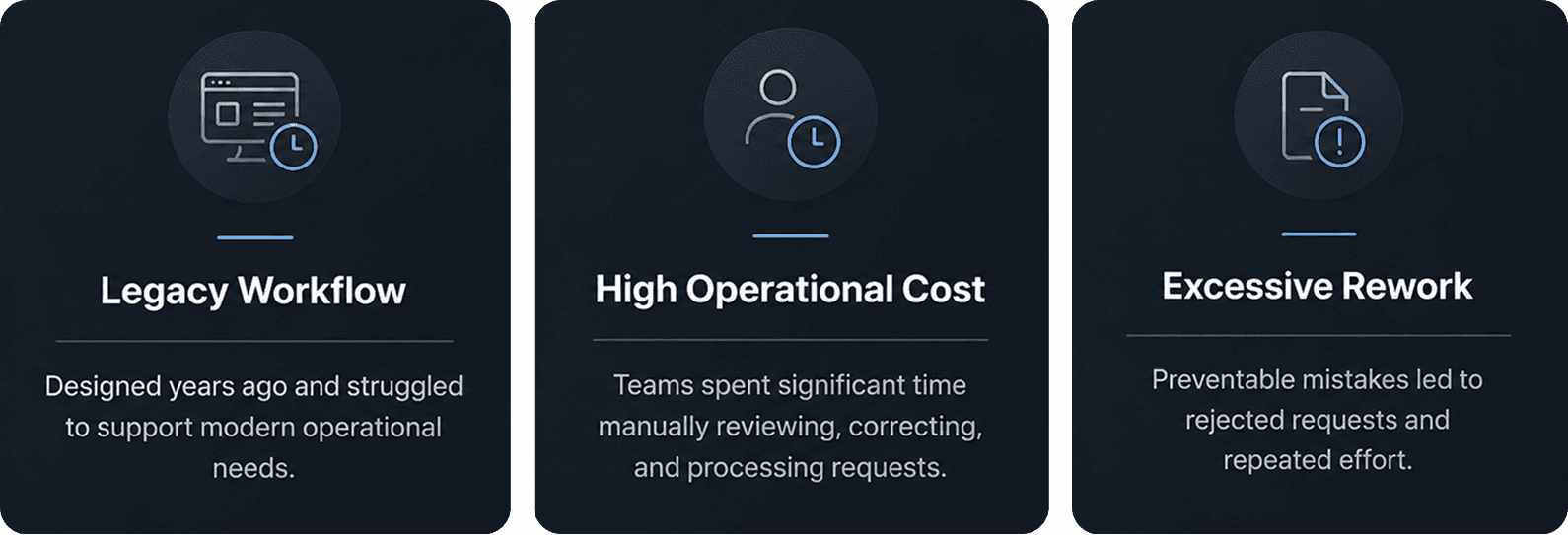
Act 1 — The Business Problem
While credits were critical to financial operations, the UX supporting them
had not evolved with the growing complexity of the business.
Click to enlarge
Act 2 — Discovery & Ground Research
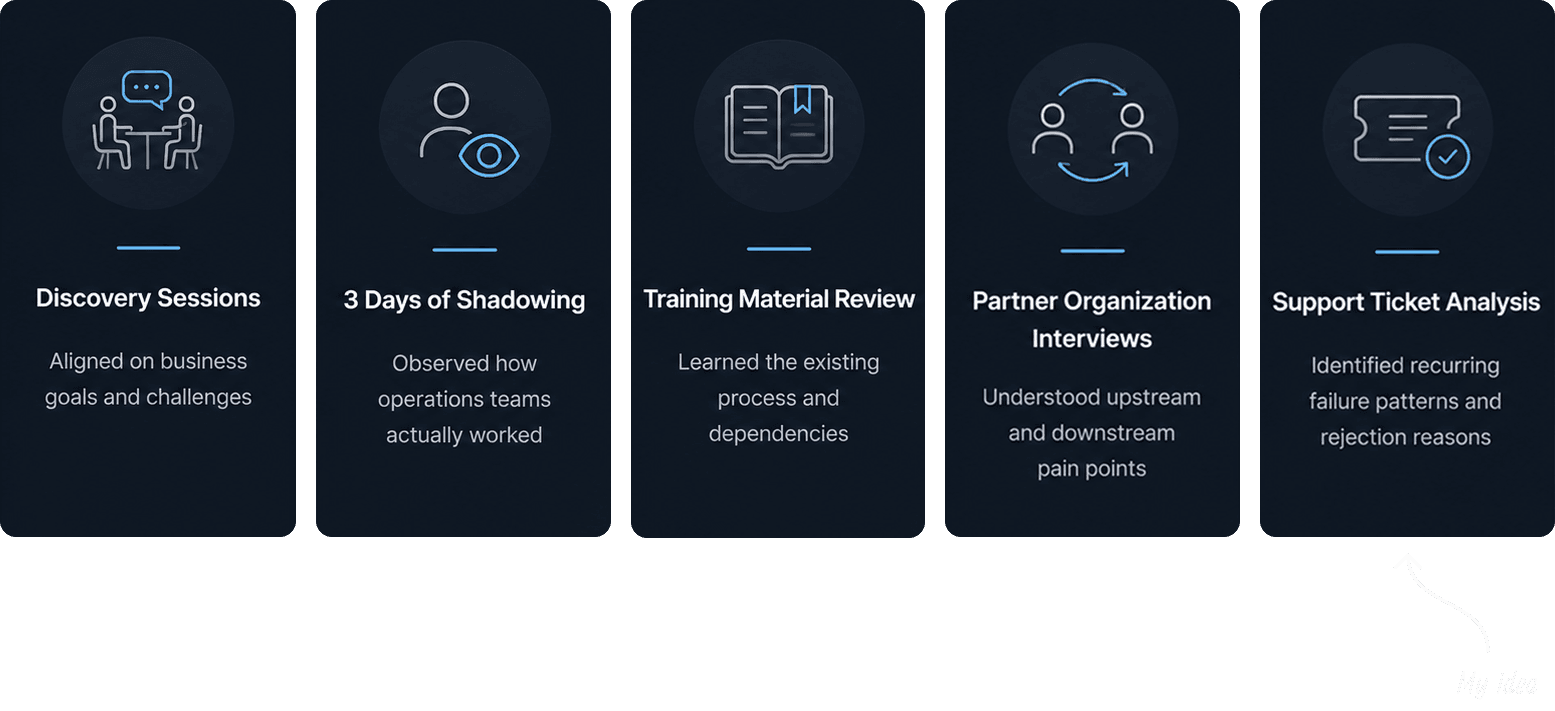
Business understood the outcomes, but not necessarily the root cause. To understand
why requests were slow, costly, and error-prone, I along with a UX researcher conducted
research sessions with the people using the workflow every day.
Click to enlarge

How we used AI: We created a small AI app that analyzed, created themes and
categorized support tickets that helped in figuring out a connection of what credit
reasons lead to what downstream problems and figure out our P0s, P1s and P2s.
Act 3 — Friction Points We Found
🧠 Reliance on Tribal Knowledge:
Critical workflow rules lived only with experienced staff. When they left, teams
had to rely on undocumented processes (High employee turnaround).
🧩 Multiple Disconnected Tools:
Completing a single credit request required users to navigate multiple disconnected tools,
while limited validation made errors easy to make and difficult to prevent.
⚠️ Frequent Request Rejections:
Due to lack of tribal knowledge - Missing steps, lack of accuracy and
inconsistent execution led to avoidable rejections & rework

Where Things Became Complex
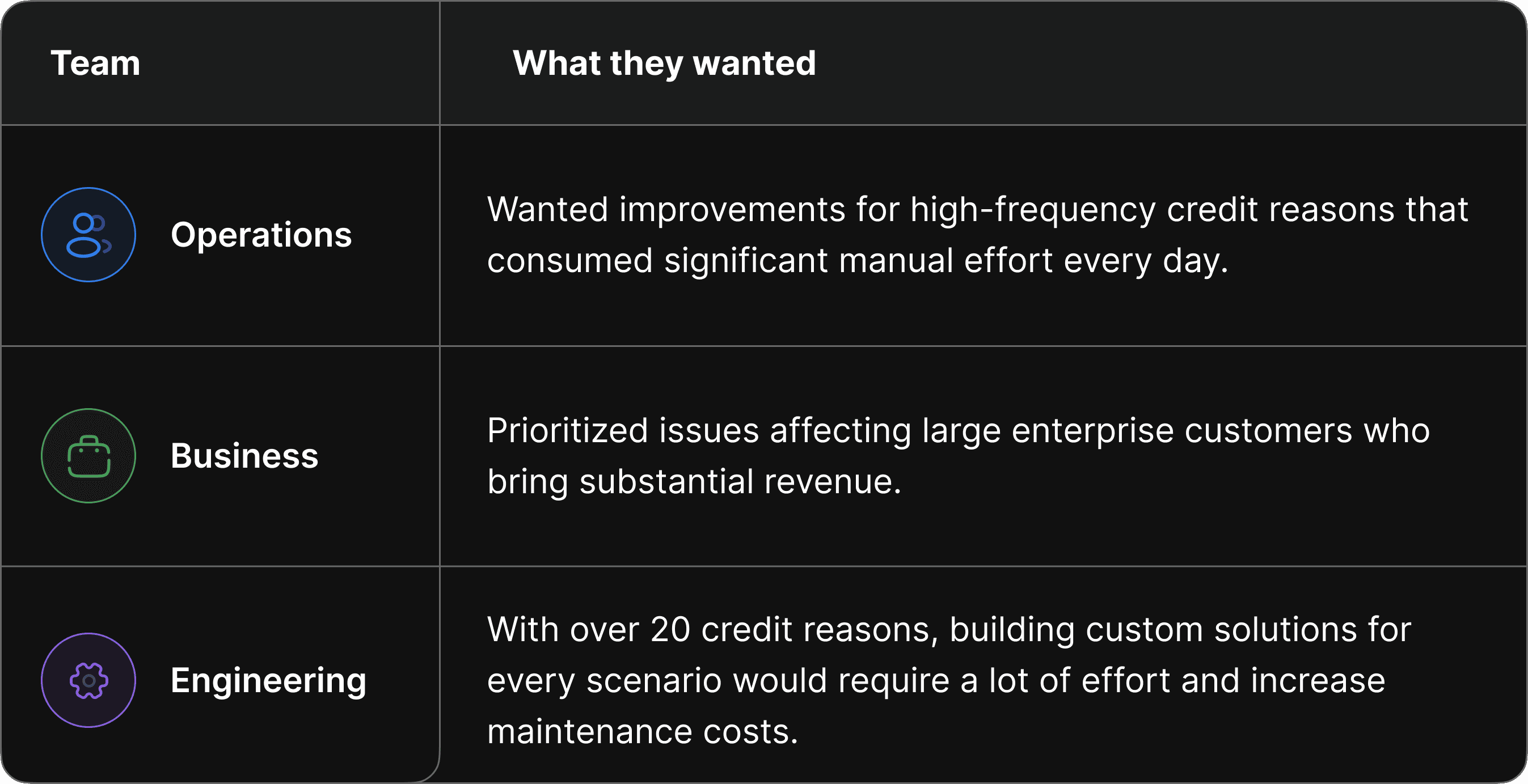
Over 20 credit reasons existed, so the team aligned on a phased rollout, The challenge was
deciding what belonged in Phase 1, as there was little to no alignment between teams.

Shift in Strategy
Solving individual credit reasons wasn't scalable. I noticed that many requests shared the
same workflow patterns, and operational tasks.I identified an opportunity to create a scalable capability that delivered value across
multiple credit reasons.Facilitated a cross-functional prioritization workshop where I mapped out workflow overlaps, proving to all three teams that a 'capabilities-first' approach served everyone's core goals.
This shifted the conversation from "Which reason should we fix first?" to "Building what capabilities can impact most reasons?"
Core UX principles
The research uncovered recurring patterns across the workflow. Rather than solving individual pain
points, I focused on principles that could systematically reduce complexity across the entire workflow.

Key UX decisions
Guided by research and UX principles, these decisions transformed a fragmented process into a streamlined workflow.
Automation based on credit reason
Problem:
Operations teams manually gathered supporting documents from multiple systems before submission, making missing attachments one of the leading causes of request rejections.
Solution:
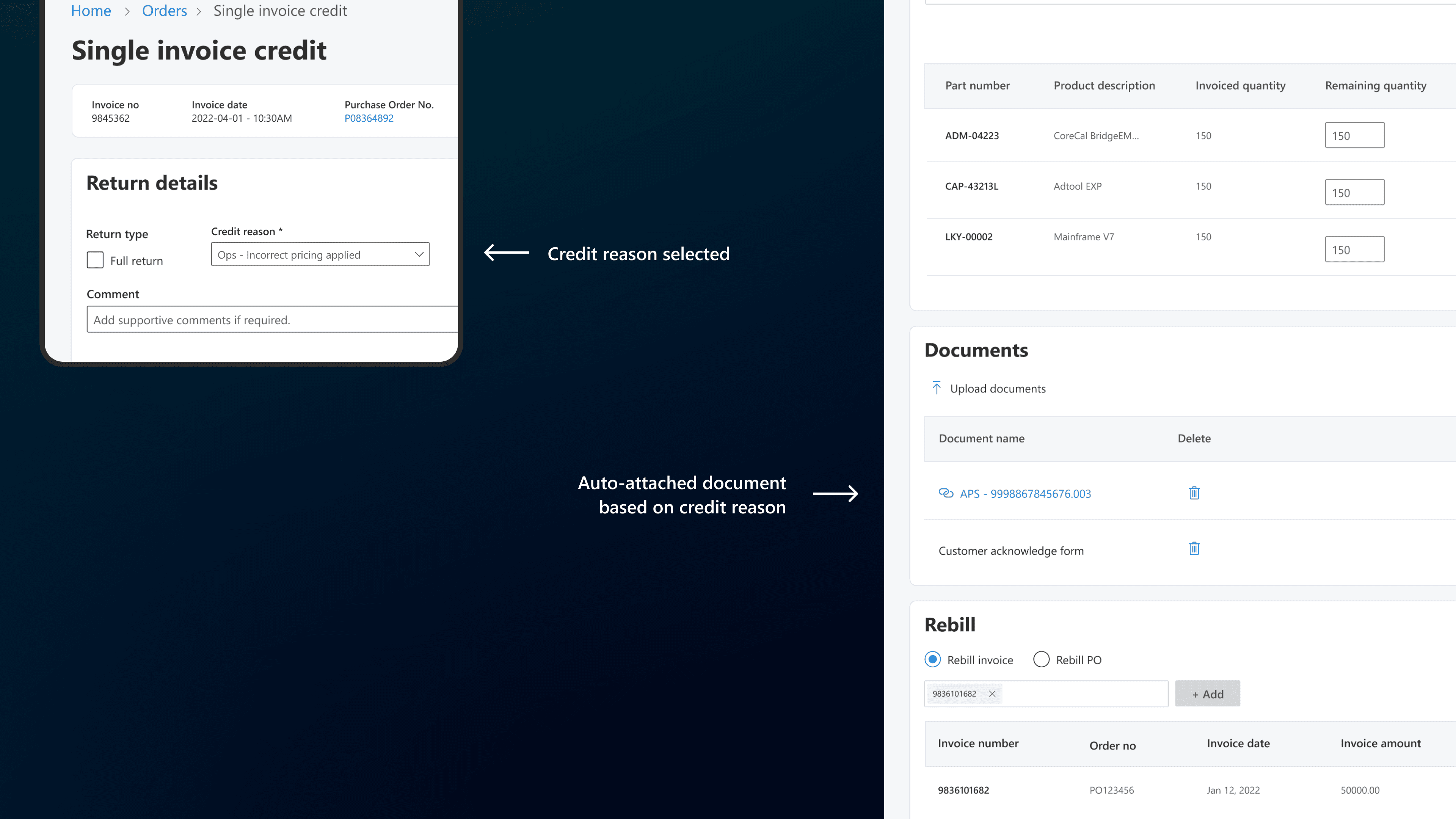
Automatically retrieve and attach supporting documents based on the selected credit
reason, removing manual document collection wherever possible.
Click to enlarge
How I Got There and Why:
Cross-functional mapping: I facilitated discussions with Product and Engineering to map
how data flowed across Quotes, Contracts, Reports, and Orders. Because we are transforming legacy systems and unifying it - a bunch of these documents were already available within the new unified system. It was a matter of utilizing it and connecting it to the credits workspace.Scalable capability over features: Instead of solving individual credit reasons, we designed
a reusable scalable automation capability that supported multiple workflows and
reduced the need for custom solutions.
Metrics:
↓ 75% reduction in request rejections caused by missing documents.
By shifting document retrieval into the system, externally provided customer files
became the only remaining source of document failure.
Guided request creation
Problem:
Not every credit request could be automated. Some scenarios depended on external documents and manual operational steps that varied by credit reason, making submissions inconsistent and prone to rejection.
Solution:
Introduced contextual guidance immediately after a credit reason was selected, surfacing the exact documents, prerequisites, and actions required for that request.
Click to enlarge
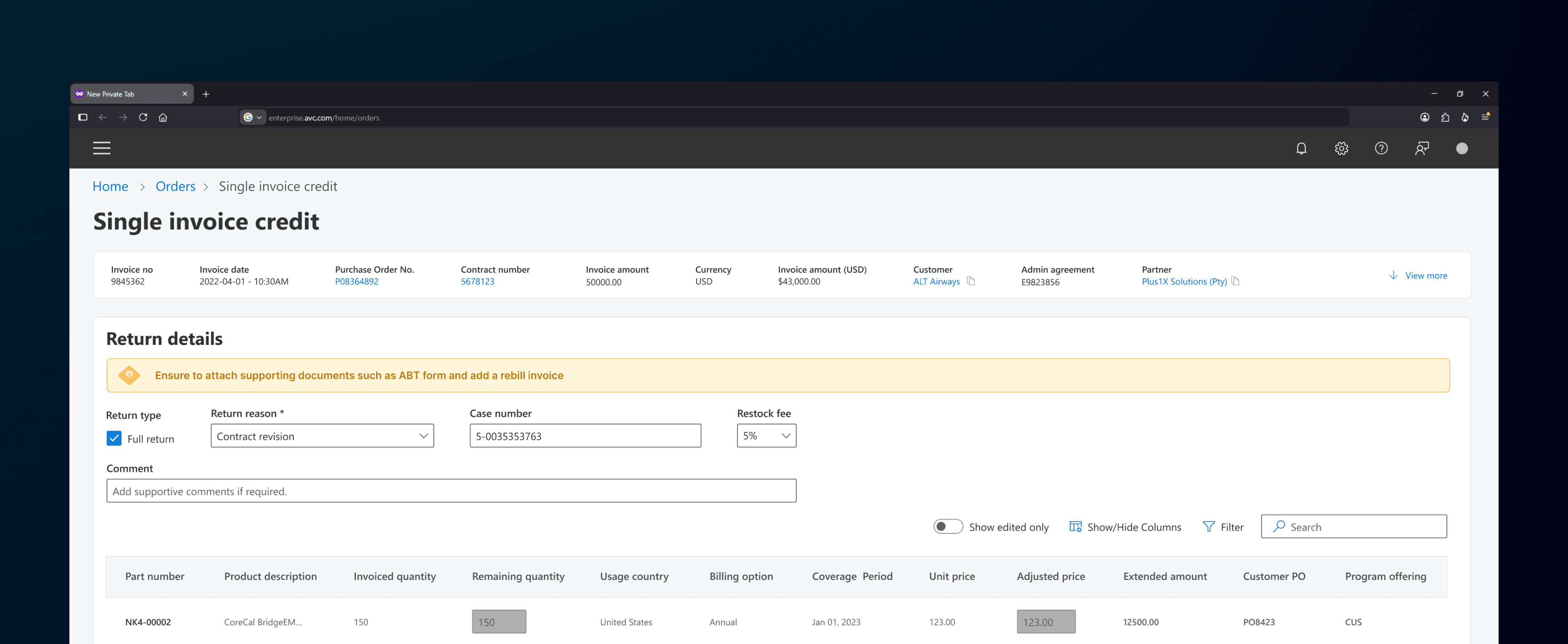
Why This Approach:
Just-in-time guidance: Surfaced instructions at the point of action instead of relying on users to remember complex process requirements.
Constraint:
Legitimate business exceptions meant hard-blocking submissions wasn't always possible to avoid a request rejection. I introduced soft validation to highlight missing requirements while preserving operational flexibility.
Click to enlarge

Metrics:
27% success in Standard Requests. Contextual guidance reduced dependency on tribal knowledge, improved submission quality, and standardized request creation without
disrupting legitimate business exceptions.The Phase 2 Roadmap: Complex credit exceptions showed that static guidance alone
wasn't enough. Future iterations focus on deeper system automation for these edge cases.
Dual-Path Invoice Initiation
Problem:
Selecting the correct invoice was critical, yet a common source of errors.
Large customers often had multiple invoices across products and departments, making verification difficult in legacy systems.
Solution
I introduced two initiation paths: a quick entry point from Orders and a verification-focused
entry point from Order Details for more complex scenarios.
Click to enlarge
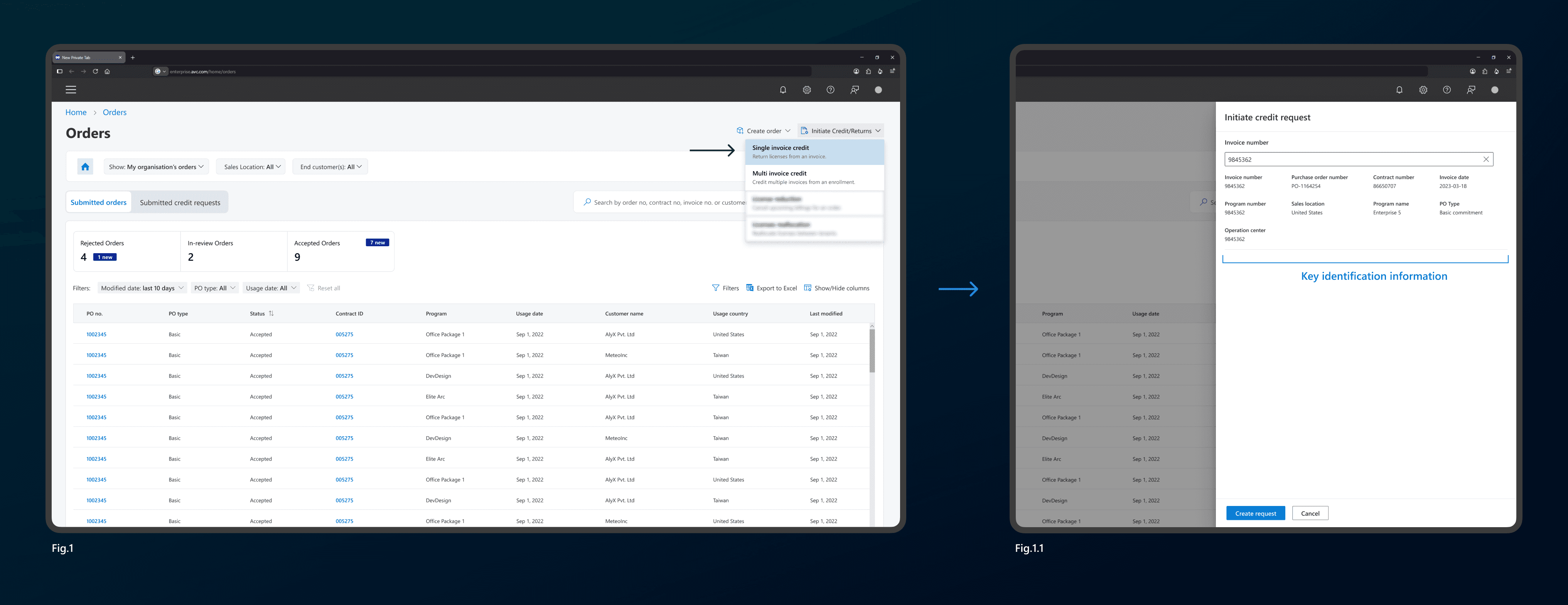
Why This Approach:
Usability discovery: During usability testing, users naturally searched for the order first to verify its details before initiating a credit request. This revealed a workflow we hadn't anticipated.
Dual-user needs: While the initiate credit panel contained enough information for most requests, complex enterprise orders required additional verification from the Order Details page.This led to creating another initiation action on that screen (Fig.1.2)
Metrics: ~7% reduction in rejections due to wrong invoice selection.
Supporting both initiation paths aligned the product with real user behavior, reducing verification errors without adding unnecessary complexity.
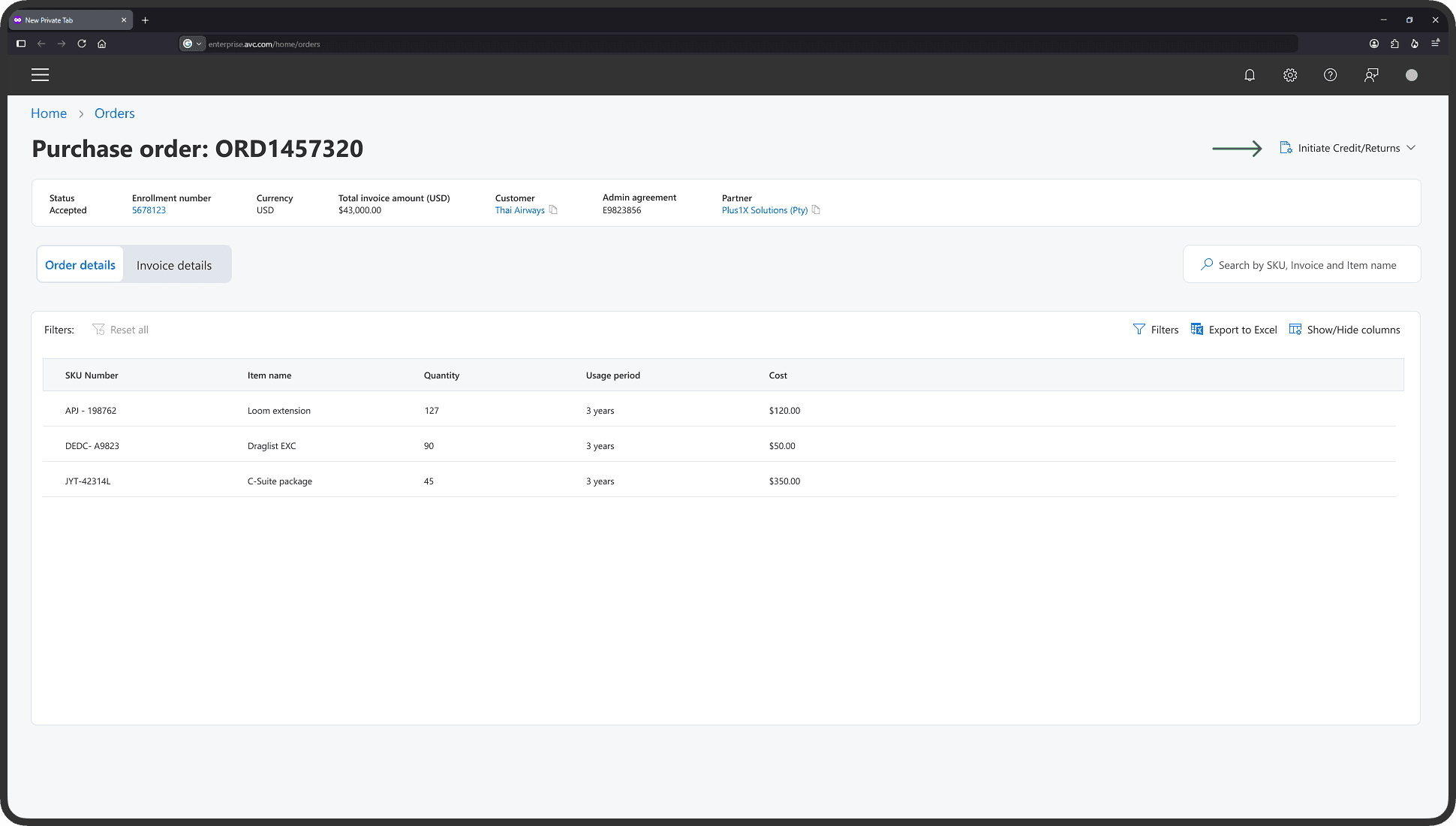
Fig.1.2
Visual Cues
Problem:
In large enterprise workflows, users frequently modified data across dense tables and forms, making it difficult to track what had changed before submitting high-value transactions.
Solution
Introduced persistent visual tracking for edited fields using subtle highlights, paired with a global "Show edited only" filter to simplify a pre-submission review.
Click to enlarge

Solution
Enterprise transactions prioritize accuracy over speed. Persistent edit tracking reduced reliance on memory before submission.
The "Show edited only" filter isolated modified fields, transforming dense pages into a focused review experience.
Outcome:
Users gained complete visibility over their modifications, transforming an anxious, blind submission process into a high-confidence checkout validation.
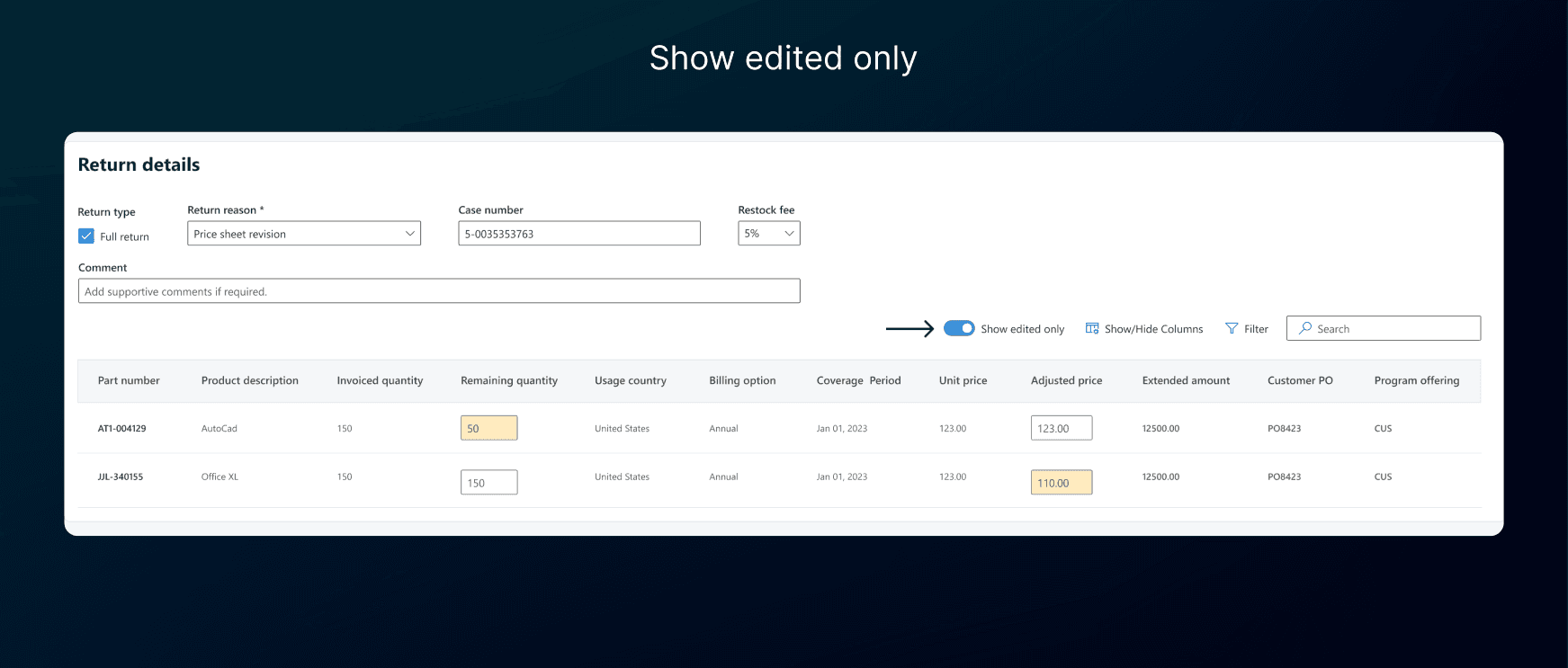
Click to enlarge

Phase 2 Roadmap
While we were happy about the reduction in credit request rejections and cost saved. One of the questions I had asked when we started this project was - No company is happy with giving refunds and credits. The goal is to have minimal to no credit requests in the first place.
While the team agreed on this, it currently wasn't the P0.I had pitched a few ideas to reduce credit requests from the customer side. Would look to explore that next.
Strategic Takeaways
The best interface is system automation: This project proved that true enterprise UX isn't about making forms prettier; it's about shifting the burden of labor from the human to the machine.
By leading cross-functional data-mapping sessions, we wiped out the core friction point before the user even encountered the screen.
Thanks for reading!