
Events page redesign to improve registrations & job applications.
⭐ Product Background & Context
Unlike traditional industries with local communities, Web3 audiences are spread across the globe, and were mainly online making it difficult for companies to gather attendees locally and promote their products through events.
This is where Recorem comes in. Recorem is a Web3 events platform where companies host webinars and connect with the community online. A key revenue stream was job advertisements displayed during live events.
🤷♂️ Why do recruiters want to advertise their jobs
on Recorem?
Access to Niche Web3 Talent: Since Web3 is still an emerging industry, traditional job boards struggled to attract candidates with Web3 expertise, making online events a valuable source of qualified and highly relevant talent.
Highly Motivated Candidates: Recruiters noticed patterns. Event attendees were typically self-motivated learners actively investing in their growth, making them strong candidates for recruiters seeking engaged and proactive talent.
💪 Motivating users to submit job applications
Guaranteed Recruiter Feedback: To encourage applications, Recorem guaranteed applicants a response from recruiters within 72 hours, reducing uncertainty and increasing application intent.

On the event page, users were browsing the page for hardly 3 to 7 seconds and
then dropping off.
Problem statement
Low Event Registrations: Despite significant marketing investment, events attracted very few registrations, resulting in poor ROI and reduced visibility for job advertisements due to lower attendee numbers.

Tight Timeline: With multiple events approaching and only 1.5 weeks available, we opted for a focused redesign that could be designed, developed, and shipped quickly.
Constraints
The redesign resulted in a 55% increase in funnel conversions and a 30%
increase in user acquisition.

Not only did users register to the event from the targeted ad campaign, they also
explored and registered to other events on the website as well
Outcome of this redesign
🚀
RESEARCH
✨ Insights
The problem was pretty clear. So, I started the research. Here are the insights from talking to users, monitoring sessions/heatmaps on Hotjar, and my personal take on how this page can be improved

User observations
85

Iterations
02

User tests
07

User interviews
12
Weeks
1.5
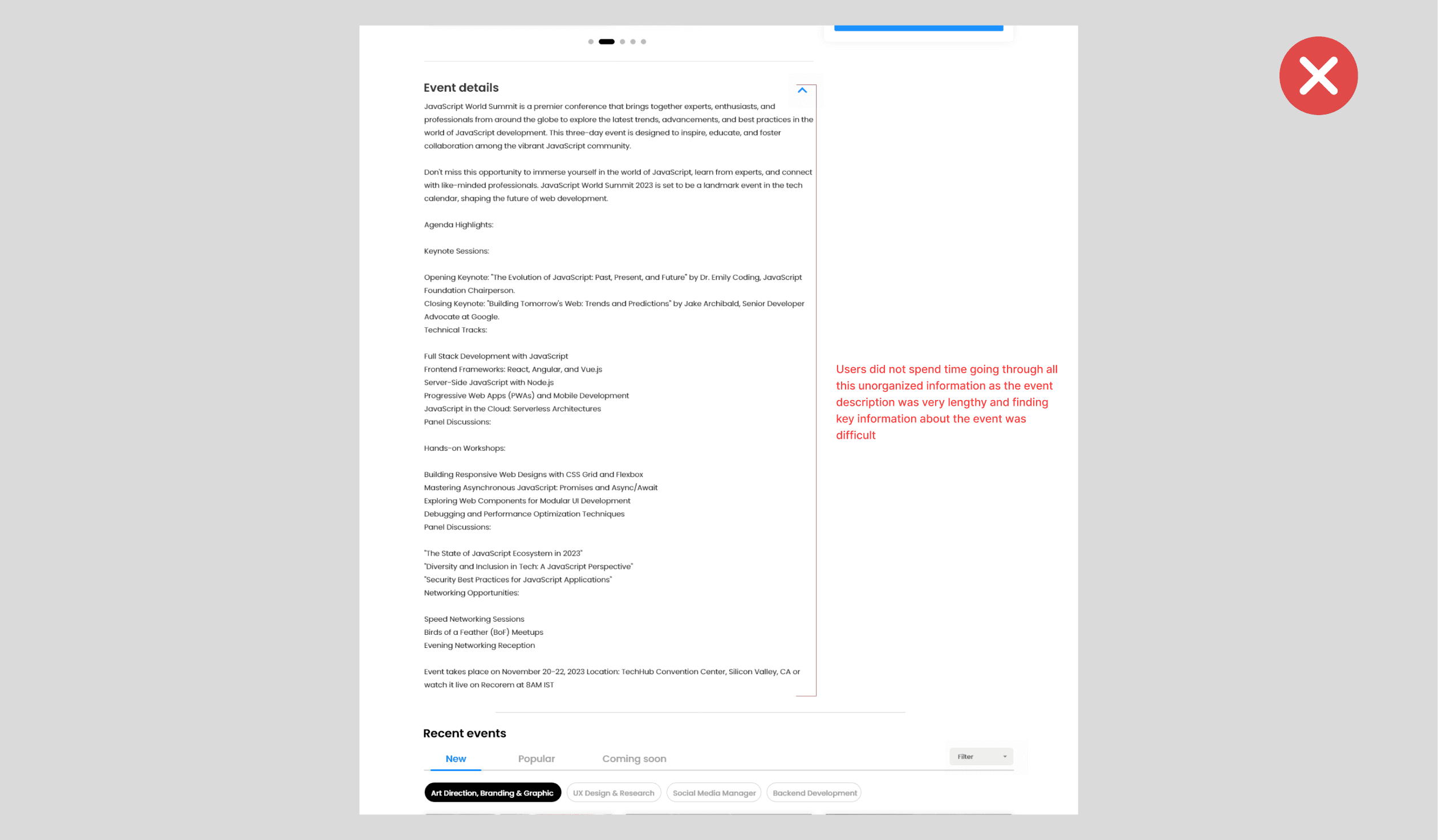
The Basics - Essential details were not easily conveyed. Users struggled to find key information like date, time, speakers etc. as it was buried in a lengthy and cluttered event description, leading to confusion or ignoring the entire thing.
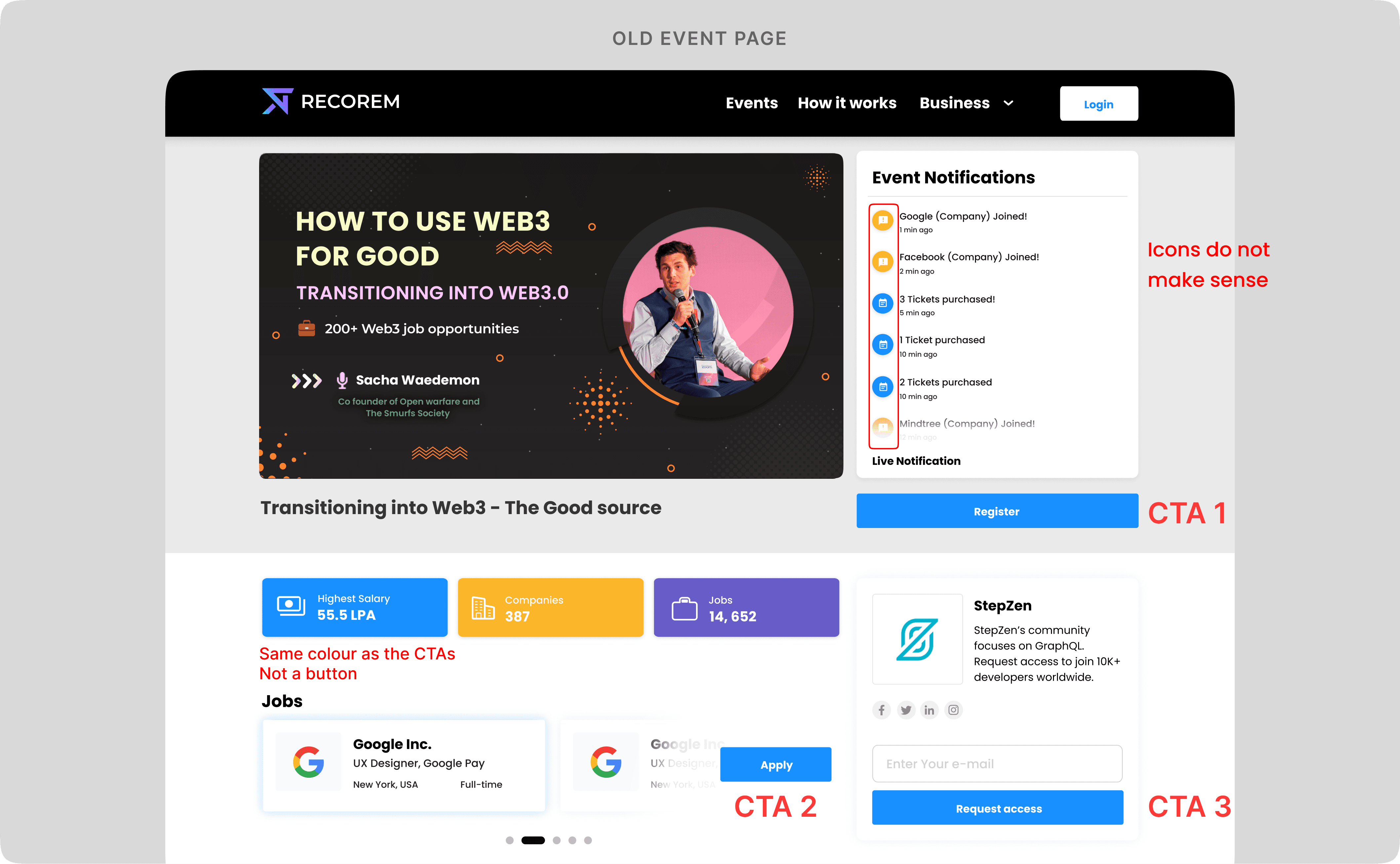
Poor Visual Hierarchy & Information Overload: Multiple CTAs shared the same visual style, making it difficult to distinguish primary actions. Users also attempted to interact with non-clickable elements, such as the salary tile. Additionally, redundant content—like newsletter signups before an event had started—added unnecessary clutter and distracted from key actions.
Weak job card - Low Visibility of a Key Benefit: The “72hr Feedback” guarantee was not surfaced on the event page. While users arriving from the landing page were aware of this benefit, those coming from ads and marketing campaigns often missed it, resulting in fewer job applications.
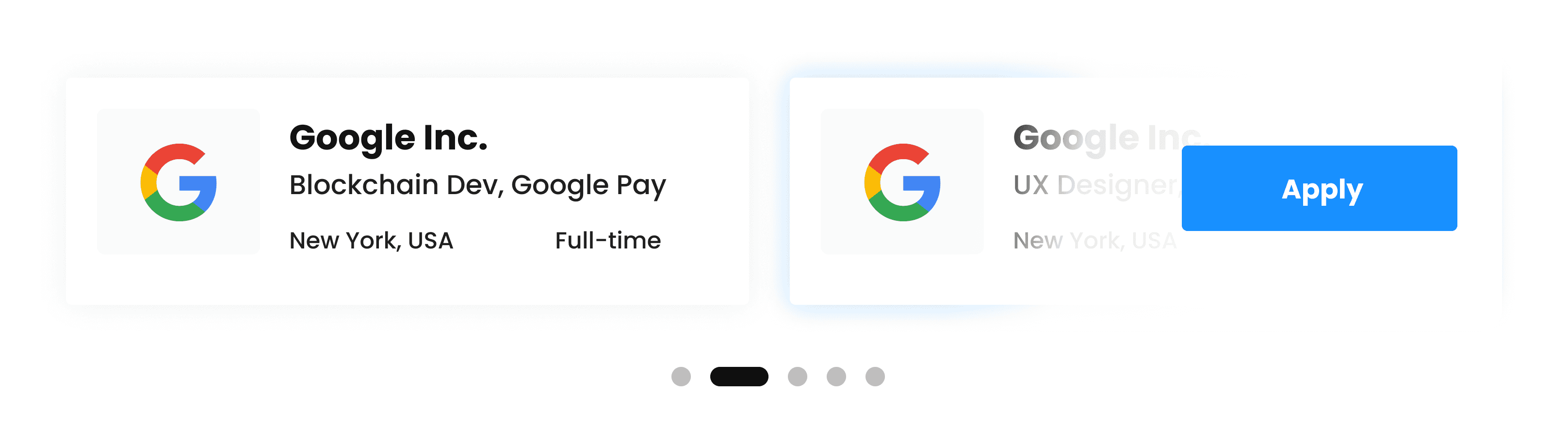
FOMO/Excitement could be improved.
User quotes
“Need more information about the job, just the company name and title won’t suffice”

“Event information is deep down in the event
description. Need to spend way too much time to understand what’s happening”

User types
Web3 Companies who attend online events/webinars to get leads and understand what other Web3 companies are working on
People who attend events/webinars out of passion
& genuine interest or to enhance their skill set
People who attend events to
find job opportunities
15%
35%
50%
THE REVAMP
Section 1: Basic information
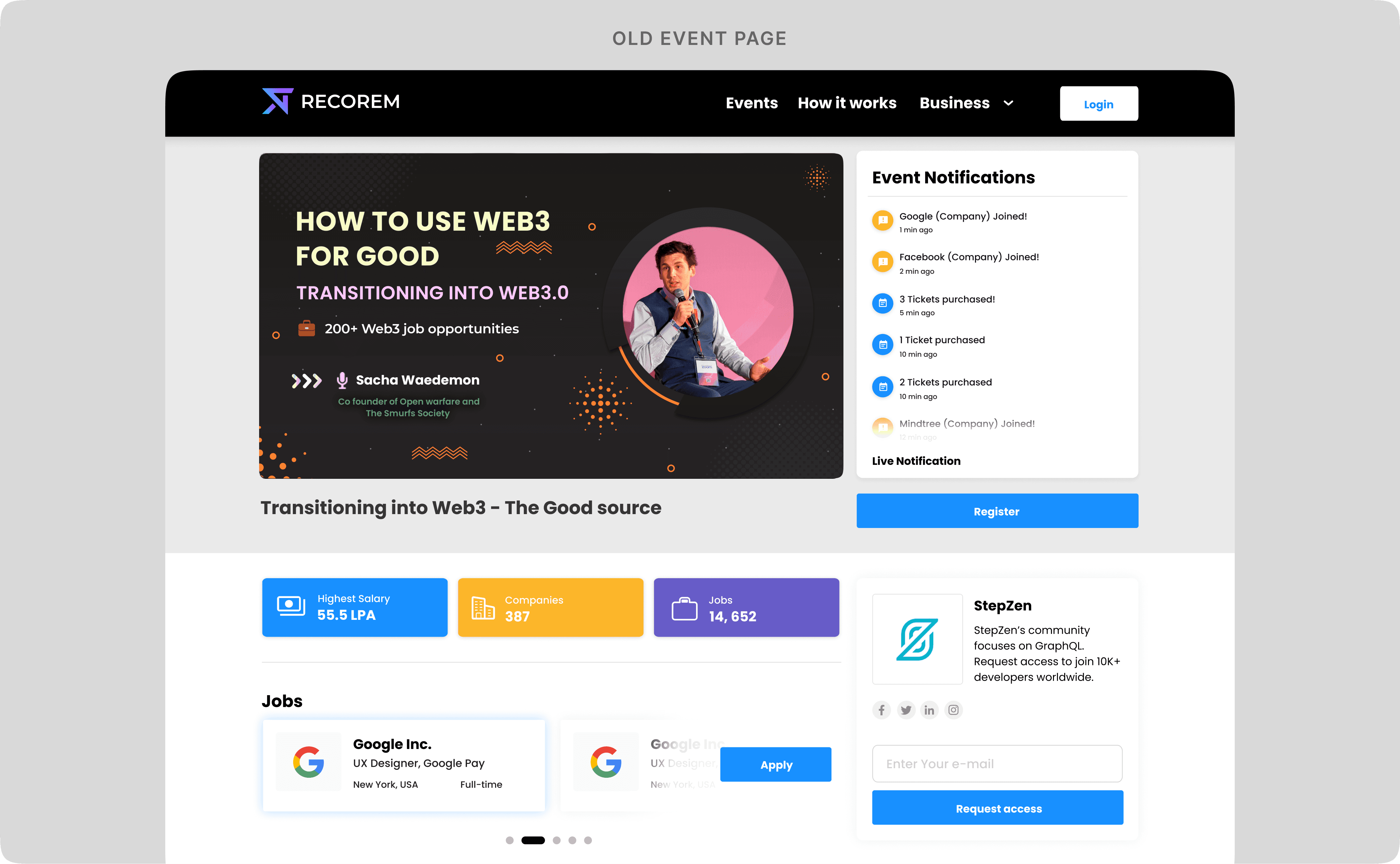
The original design featured an event thumbnail alongside a live notifications panel. While the thumbnail performed its role well, user research revealed that the notifications panel was largely ignored and failed to drive registrations.
The component was originally designed to create FOMO, but this approach worked better for live events where users could see real-time activity. For upcoming events, notifications such as “1 ticket purchased” or “X company joined” provided little value and were easy to overlook.
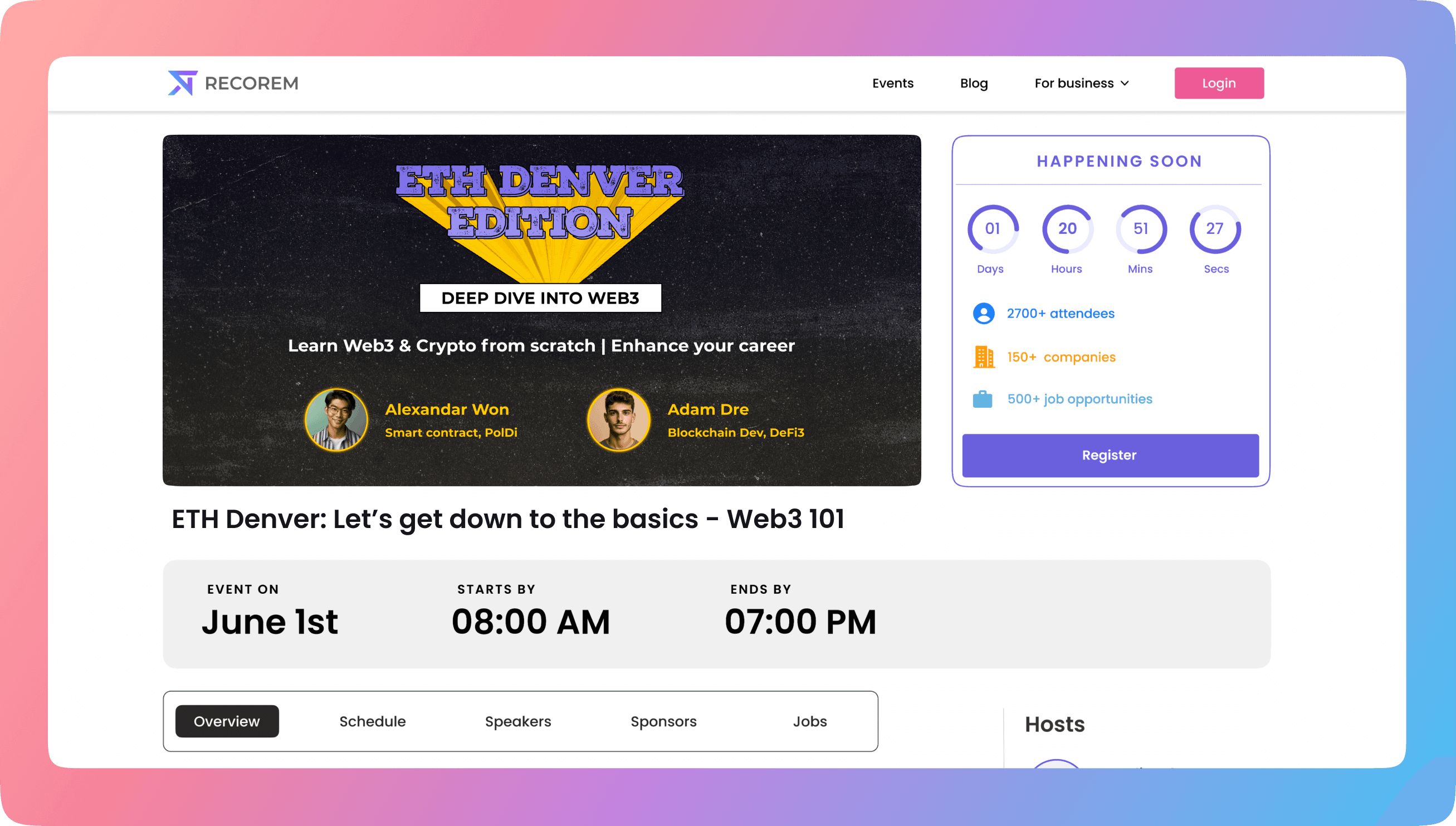
As one of the first sections users encountered, it needed to communicate key event information at a glance while encouraging registrations. The solution was to replace the notifications panel with a more informative and action-oriented design.
Section 1 redesign
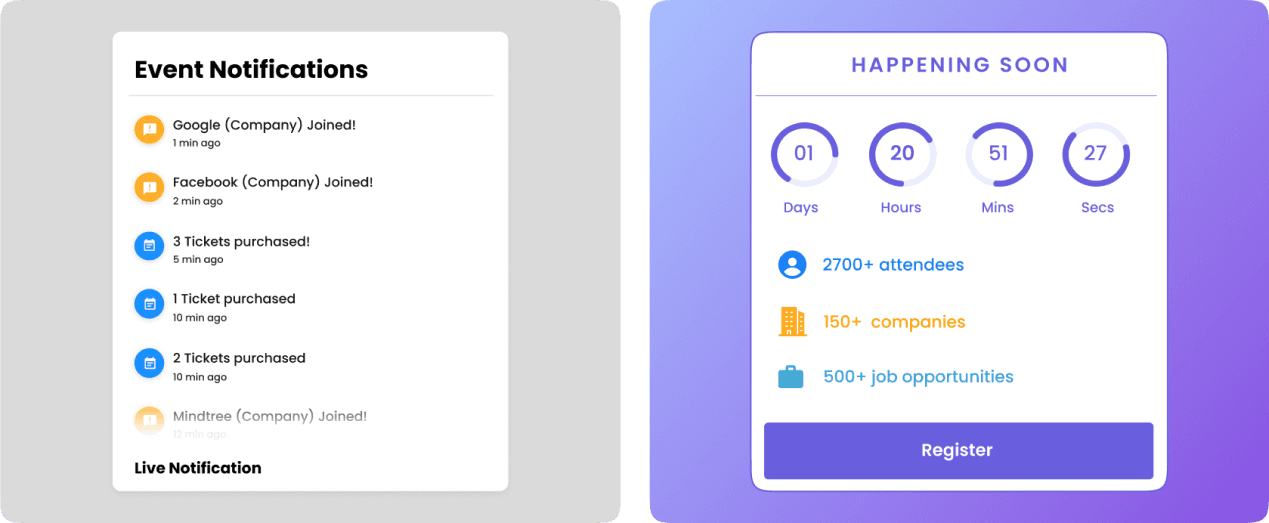
Old version
The event notifications was not having a good enough impact. Users scrolled past it and did not pay any attention to it
The component occupied significant screen space without providing meaningful value.
The same information could be delivered through a much smaller ticker component, but was deferred due to development constraints.
New version
Added a countdown timer to create a better FOMO effect compared to “Event notifications” which everyone ignored. Users respond better when they see stats. Showing a total count/ number is always well received as it's easier to read and glance through, compared to what was shown earlier.
Highlighted key event metrics (attendees, companies, jobs) that users could understand at a glance. Tailored the information to the three primary user groups
All this information leads to the register button.
Impact: Hotjar recordings showed improved engagement, with users quickly understanding the event's key details and value proposition without needing to scroll.
Event thumbnail/banner uploaded by the organizer is clearly shown
FOMO from countdown created a better urge compared to the event notifications
The quick stats under the countdown gave all user types an idea on what kind of crowd they can expect at this webinar/event.
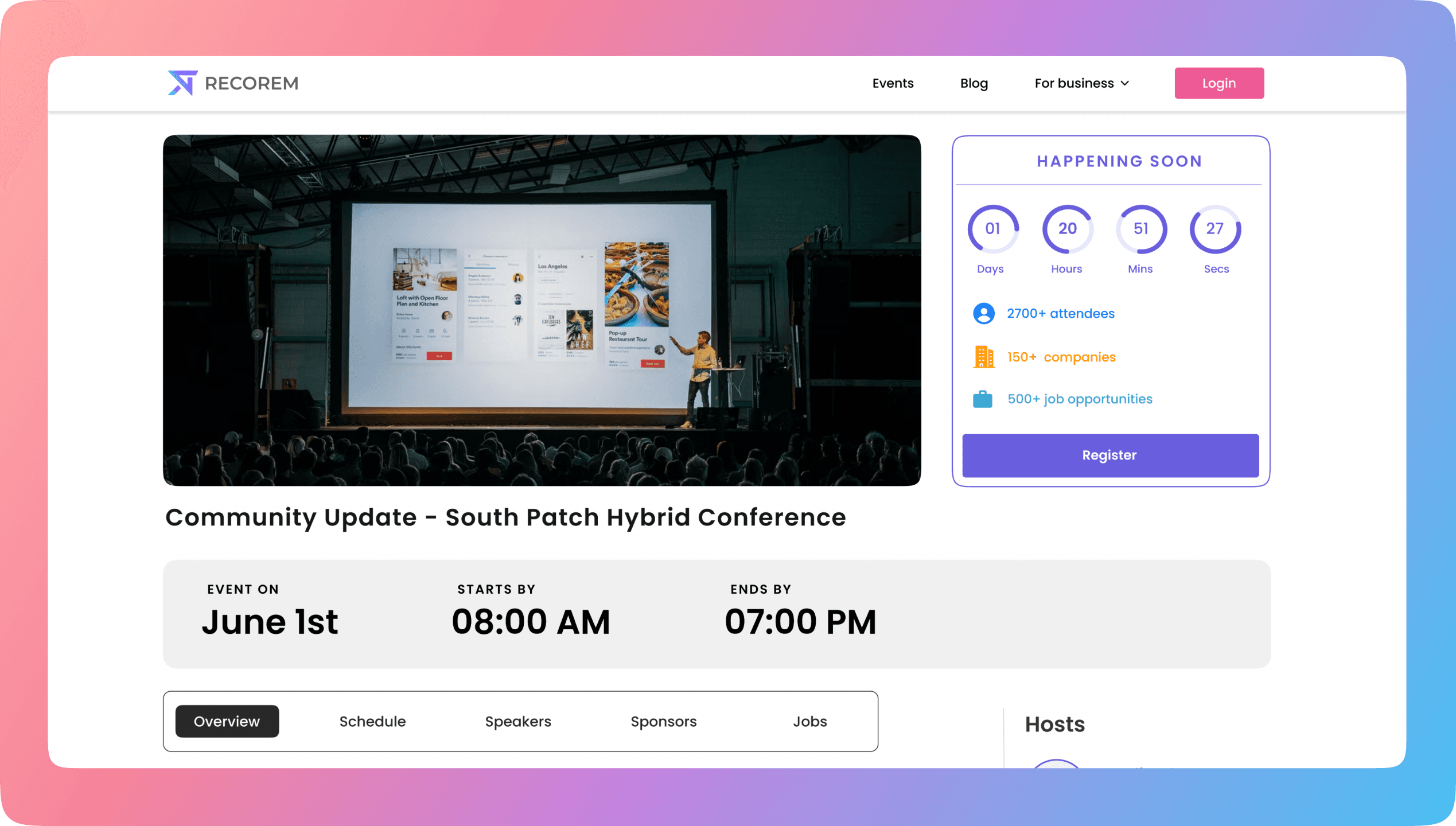
Section 2 : Organization and Redesign
This section created the most impact and was the primary reason for the higher conversions in my opinion. Here's why:
Everything a user would want to know about the webinar/event was one click away. Earlier during the research phase, users mentioned they had a tough time getting the required event information due to all the information being dumped in the event description. So, I decided to organize the entire section.
In the new design, there are a total of 5 tabs that contain all the key information users would need to make a decision on whether they want to attend the event.
Description: Contains basic information about the event.

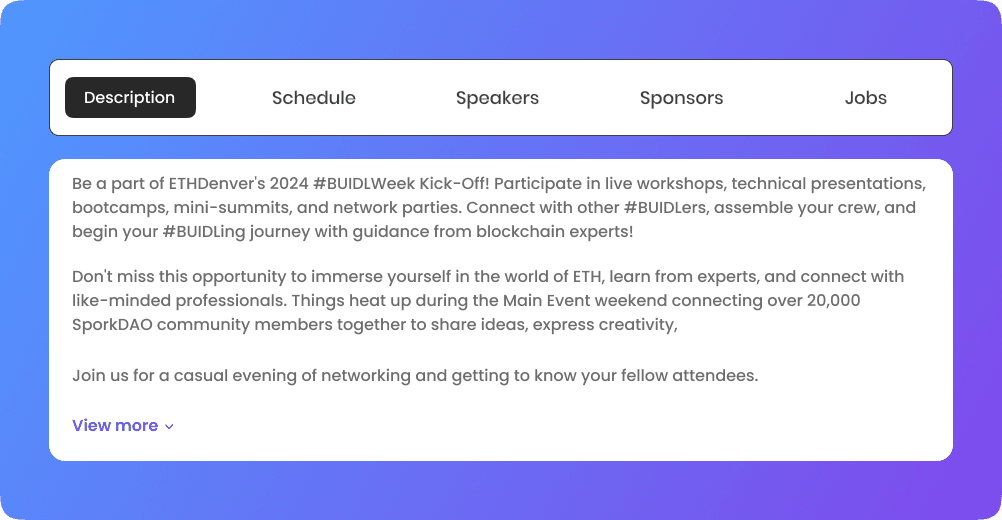
Schedule: Event schedules were previously buried within long descriptions, making them difficult to scan. A dedicated schedule tab provided a clear day-by-day and hour-by-hour view, helping users quickly find the information they needed.

Speakers: Famous speakers/personalities who are presenting content bring a decent amount of event registrations. Having a dedicated tab that showcases the speakers attending the event/webinar made sense. This was missing in the old design. Adding this played a huge impact!

Sponsors: This was a business requirement, sponsors had to be showcased. Simple tile UI, when clicked users would be directed to the sponsor’s website or any other link they provide.

Jobs: The job cards are completely redesigned, here’s why
User research revealed that the most important information for evaluating a job was the title, salary, education requirements, and number of open positions. These details were surfaced directly on the job card to support faster decision-making.
Context-Aware Prioritization: For upcoming events, the Description tab was shown by default to maximize registrations. Once the event went live, the Jobs tab became the default view, reflecting users' shift toward discovering and applying for opportunities. Timely notifications were also introduced to ensure attendees were aware of new job opportunities throughout the event.
Research showed that users arriving from ads were often unaware of the 72hr recruiter response guarantee. This had to be fixed.

To increase visibility, I introduced a subtle animated icon on each job card that highlighted this benefit through a tooltip on hover. This was definitely a game-changer. It increased users applying to jobs by 50 %
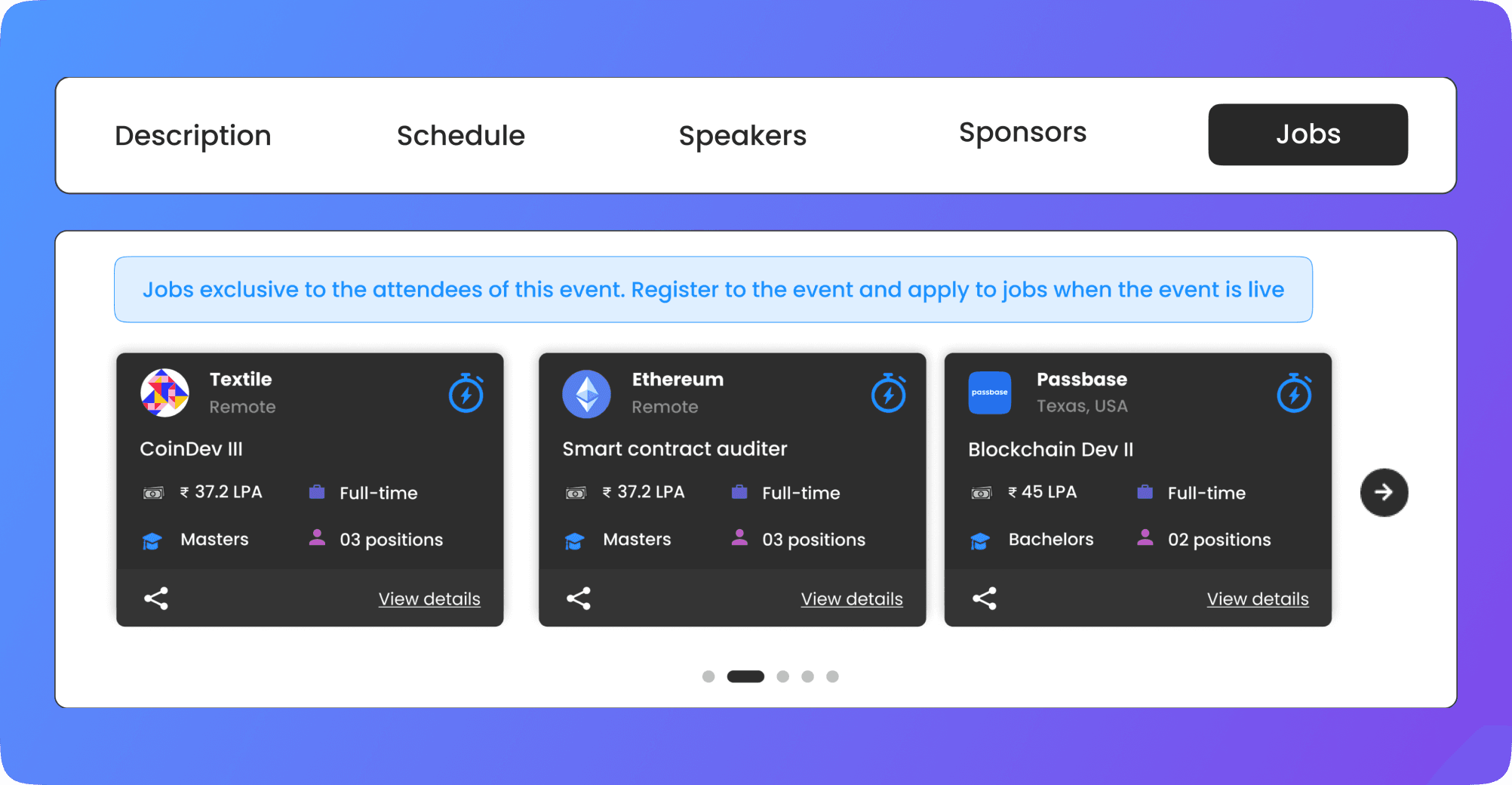
While event attendees who were actively seeking jobs applied anyway, The "72hr feedback" primarily encouraged existing Web3 professionals to apply for jobs. Especially the ones who were considering a job switch or those who were eager to explore more exciting projects.
Full redesign preview

How did we measure the success of this redesign? 💯
Learnings 📘
Hotjar recordings and Google Analytics showed a significant improvement in user engagement and conversions. Within the first week, the redesign increased conversions by 55%, driving more event registrations and job applications.
Being one of the first research sessions I led in my career - I learned how to interview in a small time frame and learned how to improve the type of questions to be asked
Further room for improvement
Exploring the idea of making the entire countdown a sticky component so that the register button is always seen is something that might make sense.
Thanks for reading!